Smart Time Tracking for Everyone Who Works
Track focused work sessions, billable hours, and study time — with a privacy-first timer that lives right in your browser. No account needed.
Start in under 10 seconds. No login required.
Who is Work Timer for?
Companies & Teams
Track employee focus time, billable hours, and project work — without complex setups or IT overhead. Get clear reports your whole team can actually use.
Employees
Understand where your work hours actually go. Sharpen your focus, cut wasted time, and share accurate reports whenever your manager asks.
Students
Plan study sessions, avoid burnout, and see how much you really study each day. Build better habits with data you can trust.
Freelancers
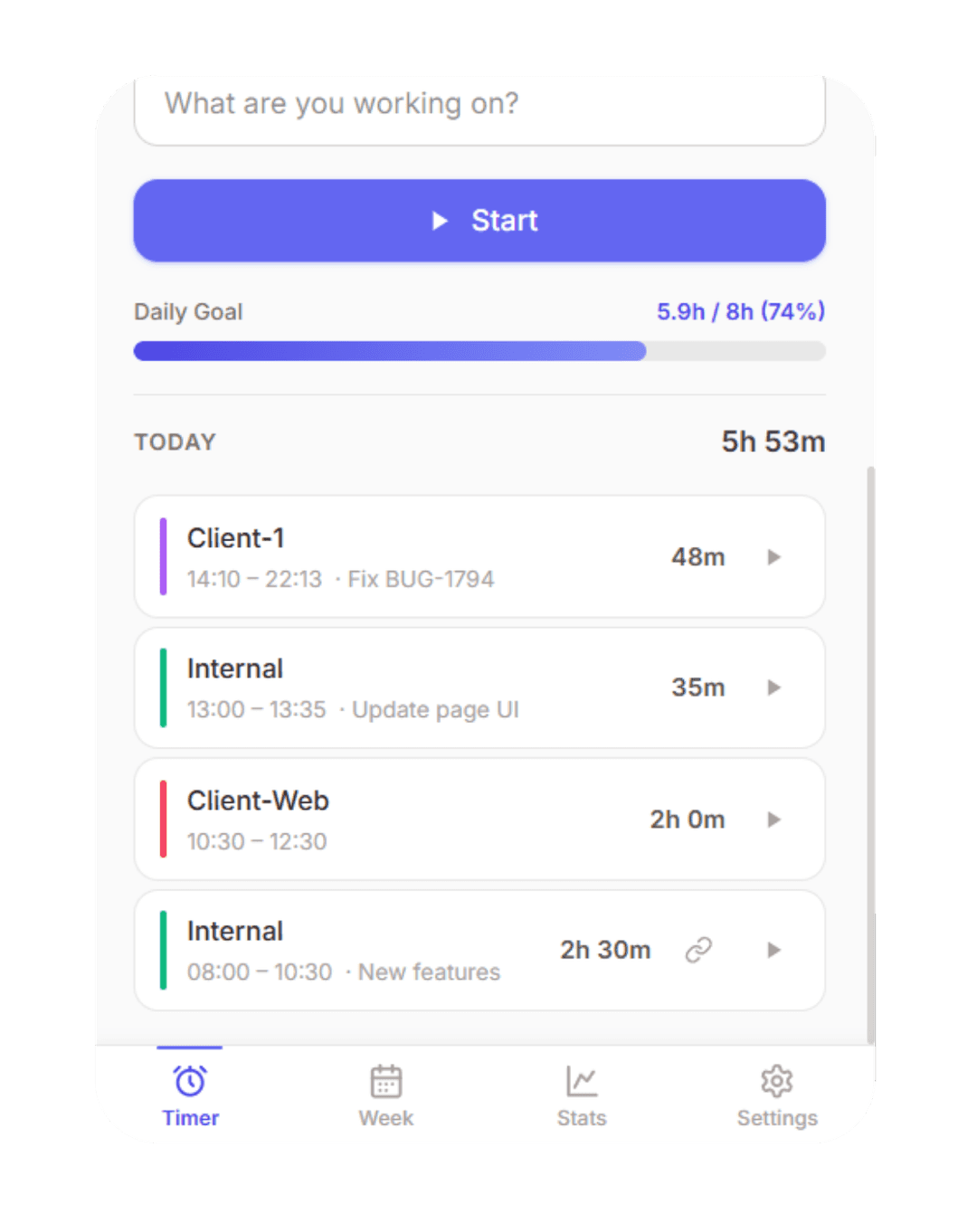
Never lose a billable minute again. Track time across projects and tags, and generate clean overviews of your hours and earnings — ready for clients.
Designed for modern work — from solo freelancers and students to small teams and growing companies.
Features
Built for real work, not demos
Every feature exists because someone needed it. Nothing is here just to fill a pricing table.
Three Modes, One Extension
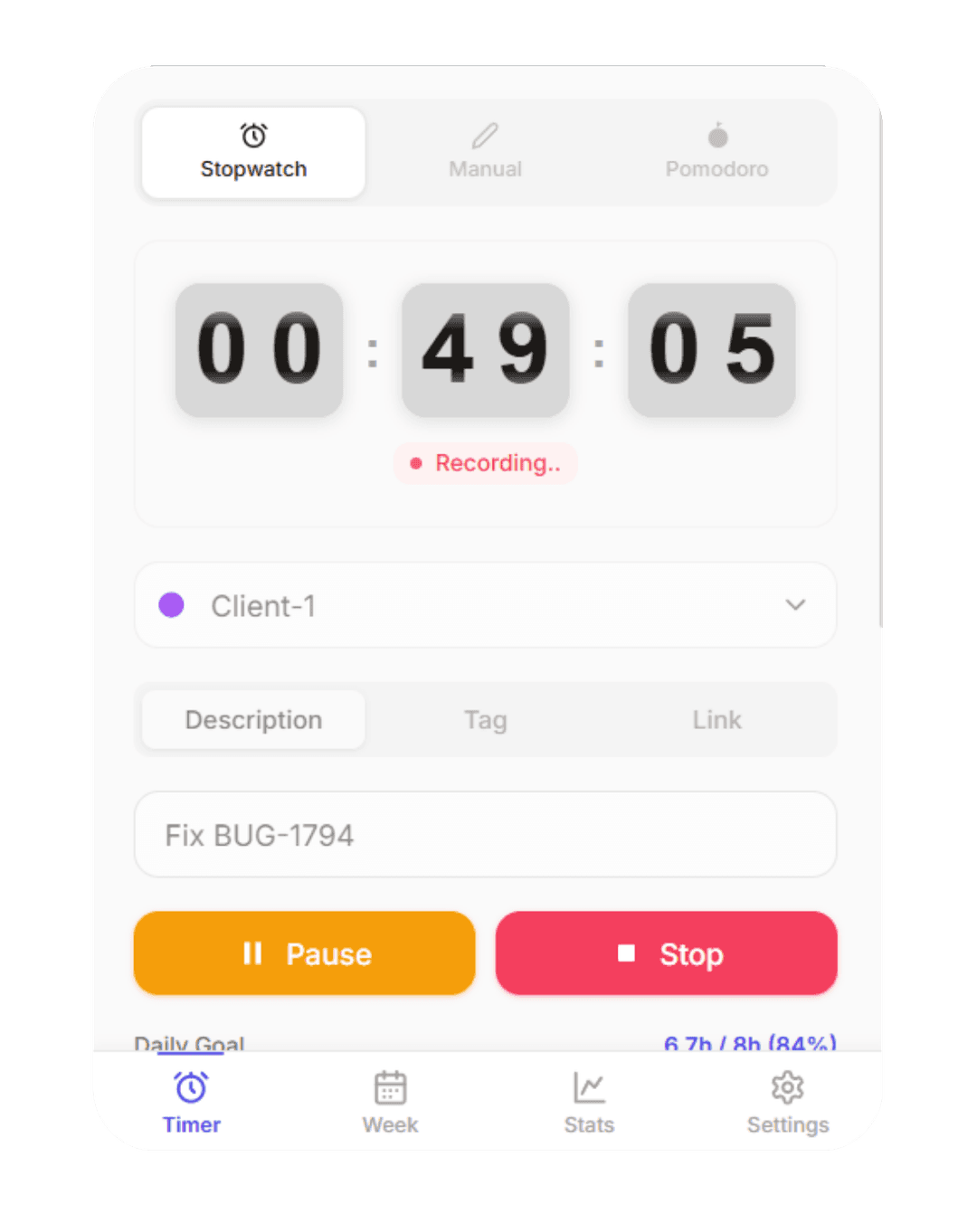
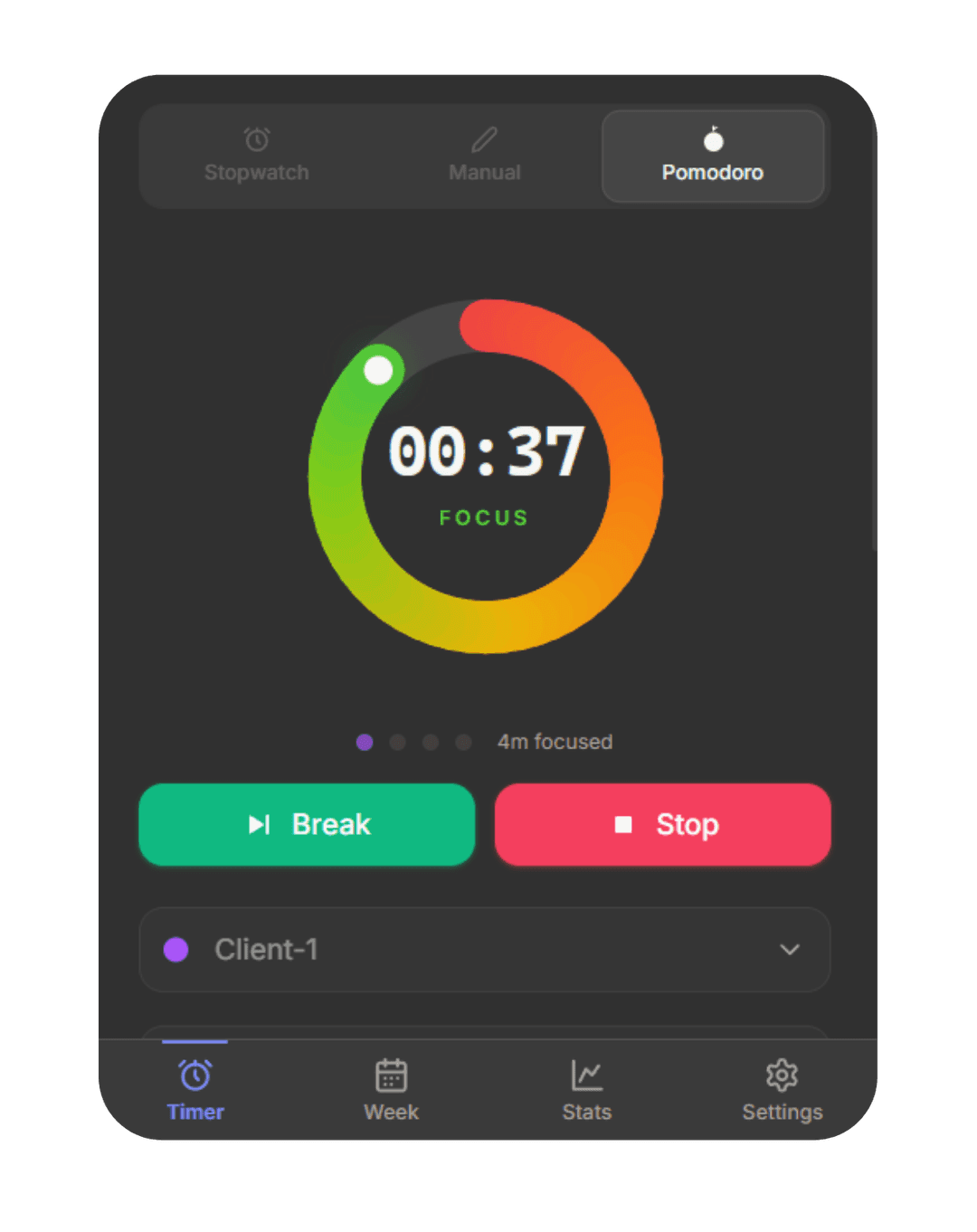
Stopwatch, manual entry, or disciplined Pomodoro focus sessions — switch any time. Your project and description carry over automatically so you never lose context.
Your Data, Your Browser
Everything is stored directly in your browser via chrome.storage.local. No server ever sees your data unless you choose cloud sync. Works fully offline — on a plane, in a cabin, wherever you work.
Know Your Patterns
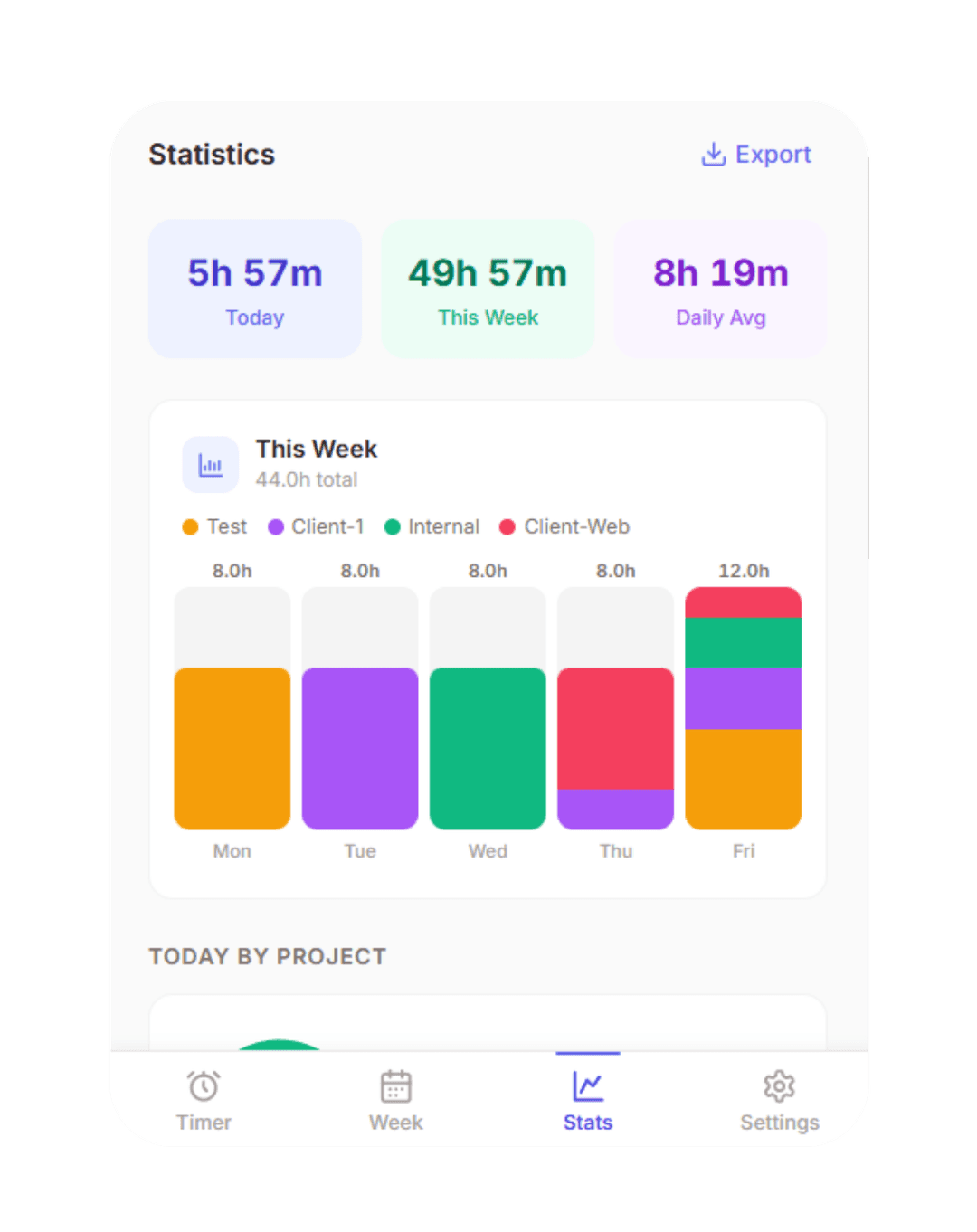
Weekly and monthly analytics: time by project, daily session charts, and export-ready breakdowns for invoicing. Spot where your hours go and reclaim your focus.
Up and running in under a minute
Install in seconds
Click "Add to Chrome". No permissions beyond storage and alarms. The extension icon appears instantly in your toolbar.
Create a project
Name it, pick a colour, set an optional hour target. Takes 10 seconds. Up to 5 projects on the free plan.
Start tracking
Hit the play button. Pause for breaks. Stop when done. Your history builds automatically — nothing to remember.
Everything you need, nothing you don't
Powerful enough for professionals, simple enough for anyone.
Stopwatch, Manual & Pomodoro
Three timer modes. Switch anytime, description carries over.
Project Tracking
Colour-coded projects with optional hour targets.
Weekly & Monthly Stats
Clear charts showing exactly where your time goes.
Privacy First
Data lives in your browser. No tracking, no ads.
Cloud Sync (Premium)
Sync across all your devices in real time.
Export (Premium)
Export to CSV or Excel for invoicing or reporting.
Testimonials
People who actually use it
“I've tried every time tracker out there. Work Timer is the first one I actually keep using. It's in my browser, doesn't nag me, and just works.”
Sarah K.
Freelance Designer
“The Pomodoro integration alone is worth it. I pair it with my project board and know exactly how long each feature took. Billing clients is a breeze.”
Marcus T.
Software Engineer
“We needed something the whole team could use without an IT budget. The free tier covers 80% of what we need, and the yearly plan is a no-brainer.”
Priya R.
Agency Project Manager
Pricing
Simple, transparent pricing
Free forever for essential use. Upgrade when you need more.
Free
No credit card required
No account needed — just install and start.
- Projects· Up to 5
- History· 14 days
- Timer modes· All modes
- Statistics· Limited
- Earnings reports
- Cloud sync
- Multi-device
- CSV / Excel export
- Group workspace
- Timesheet approval
- Team reports
- Admin controls
Pro
Full access, cancel anytime
- Projects· Unlimited
- History· Full history
- Timer modes· All modes
- Statistics· Unlimited
- Earnings reports
- Cloud sync
- Multi-device
- CSV / Excel export
- Group workspace
- Timesheet approval
- Team reports
- Admin controls
Team
Cancel anytime
- Projects· Unlimited
- History· Full history
- Timer modes· All modes
- Statistics· Unlimited
- Earnings reports
- Cloud sync
- Multi-device
- CSV / Excel export
- Group workspace
- Timesheet approval
- Team reports
- Admin controls
- Up to 10 members
FAQ
Frequently asked questions
Your most productive week starts with one click.
Install Work Timer for free and see where your time actually goes. No sign-up required.
Join 2,400+ professionals who already track their time with Work Timer.
No credit card required · Works offline · Free forever for core features
By creating an account you agree to our Privacy Policy and Terms of Service.